Oct 27, 2026Applications
How PCB Assembly Lines Reduce Rework Rates with High‑Temp PI Labels
Misidentified PCBs after reflow cause costly rework. Learn how polyimide (PI) labels survive 260°C+ and enable reliable traceability – cutting rework rates by up to 30%.
How PCB Assembly Lines Reduce Rework Rates with High‑Temp PI Labels
🏭 In PCB assembly, rework is expensive. Every board that fails inspection, gets misidentified, or loses its barcode after reflow soldering costs time, materials, and delays shipment.
One often‑overlooked contributor to rework is label failure. When standard labels burn, delaminate, or become unreadable during lead‑free reflow, work‑in‑progress (WIP) tracking breaks down. Operators mix up boards, wrong components are placed, and rework skyrockets.
In this article, I’ll show how high‑temperature polyimide (PI) labels solve this problem – and share real data from PCB factories that cut rework rates by 30% after switching.
1. The Problem: What Happens to Ordinary Labels in Reflow 🔥
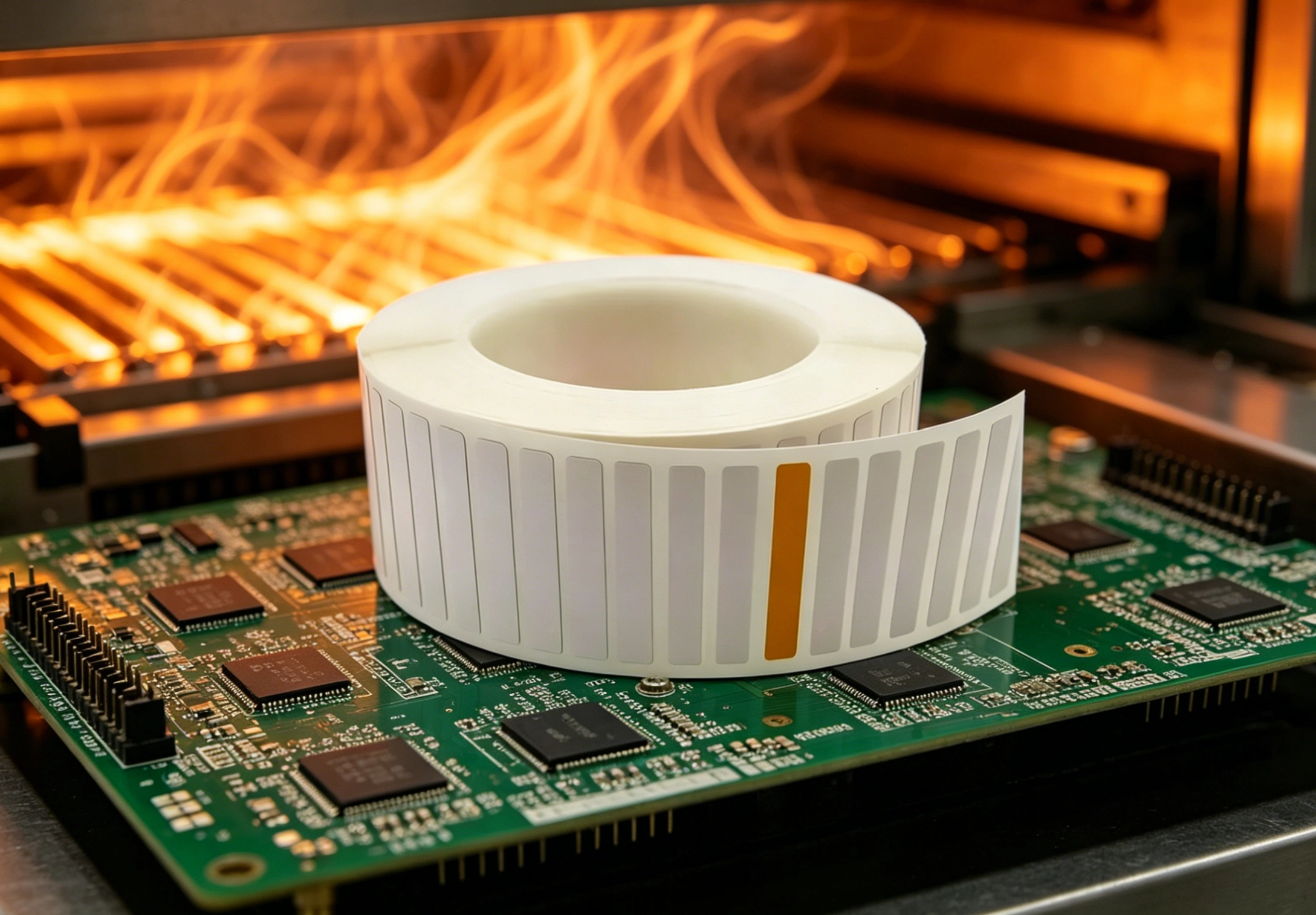
Lead‑free reflow soldering exposes PCBs to peak temperatures of 260°C+. Under this heat:
- ❌ Paper labels turn to ash.
- ❌ Standard PET labels soften, shrink, or melt.
- ❌ Adhesive outgasses, loses bond, and may bleed onto the board.
- ❌ Barcodes fade or become unreadable.
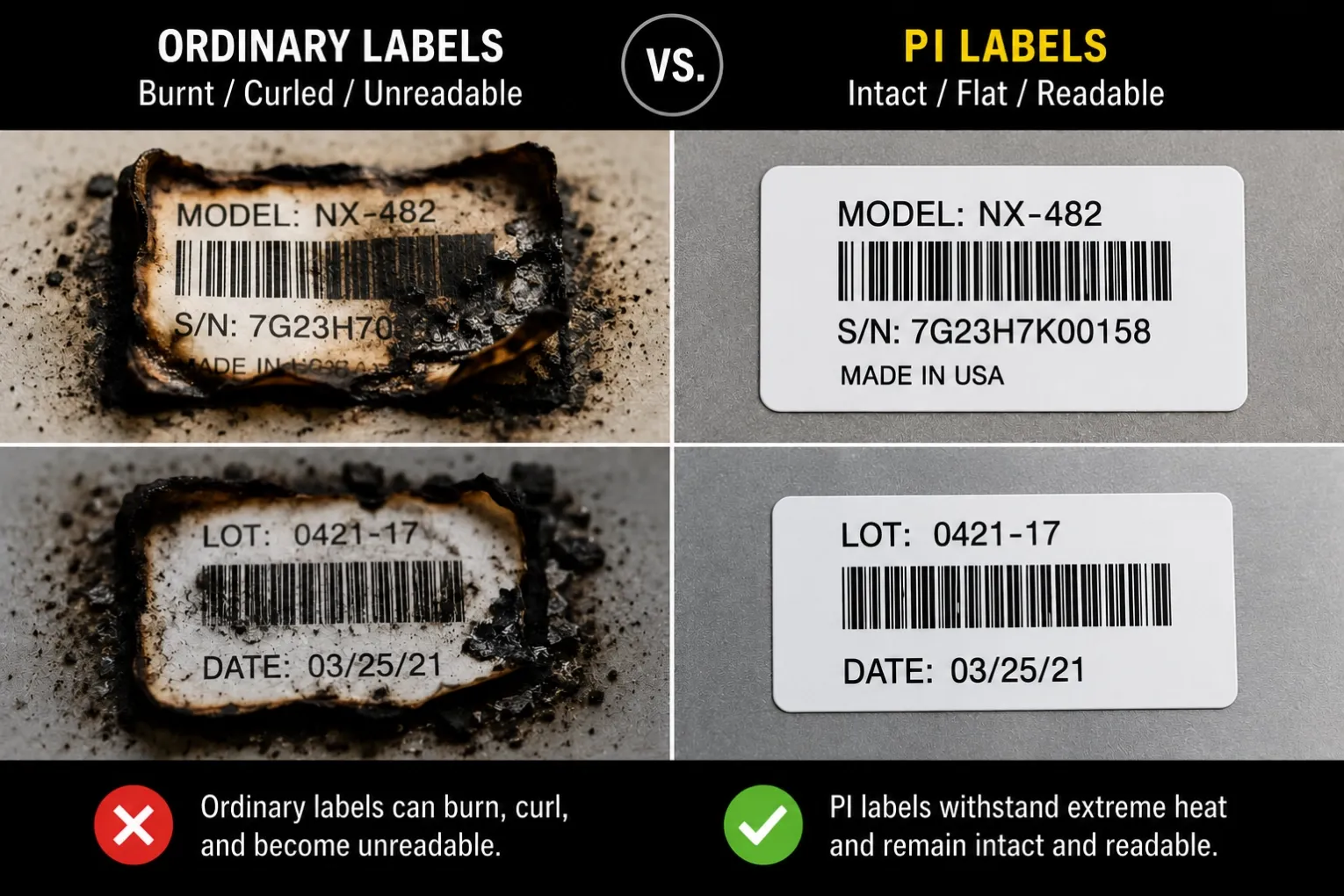
Without a readable label after reflow, PCB traceability is lost. Operators cannot tell which board is which – leading to:
- Mix‑ups of different product versions.
- Wrong component placement in subsequent assembly steps.
- Complete loss of work‑in‑progress tracking.
The result: high rework rates, scrapped boards, and delayed delivery.
2. The Solution: Polyimide (PI) Labels That Survive Reflow ✅
PI (polyimide) labels are engineered for extreme heat:
- ✅ Withstand 260°C+ continuous, peaks up to 340°C.
- ✅ No outgassing – clean for SMT environments.
- ✅ Amber or white face stock remains legible after multiple thermal cycles.
- ✅ Silicone‑based adhesive stays intact, no bleed.
When printed with a resin ribbon, the barcode remains scannable even after three reflow passes. PI labels become a permanent part of the PCB – not a temporary tag.
3. How PI Labels Reduce Rework – Step by Step 🔄
Step 1: Apply PI labels before SMT
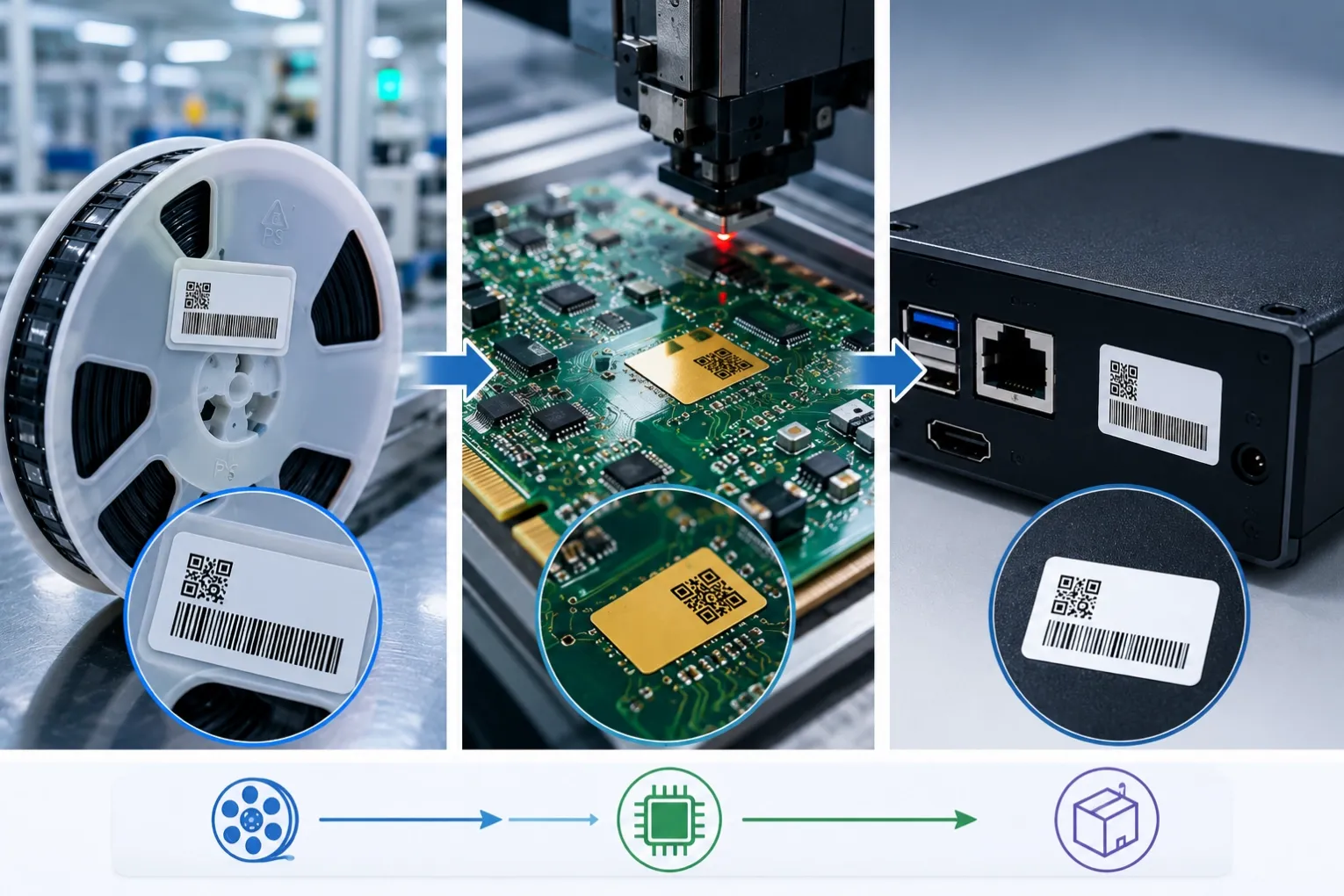
Labels are applied to bare PCBs before solder paste printing. Each label carries a unique barcode or 2D code linked to the board’s job number, revision, and assembly steps.
Step 2: Survive reflow without damage
The board passes through preheat, soak, and reflow zones. PI labels remain flat, readable, and strongly bonded.
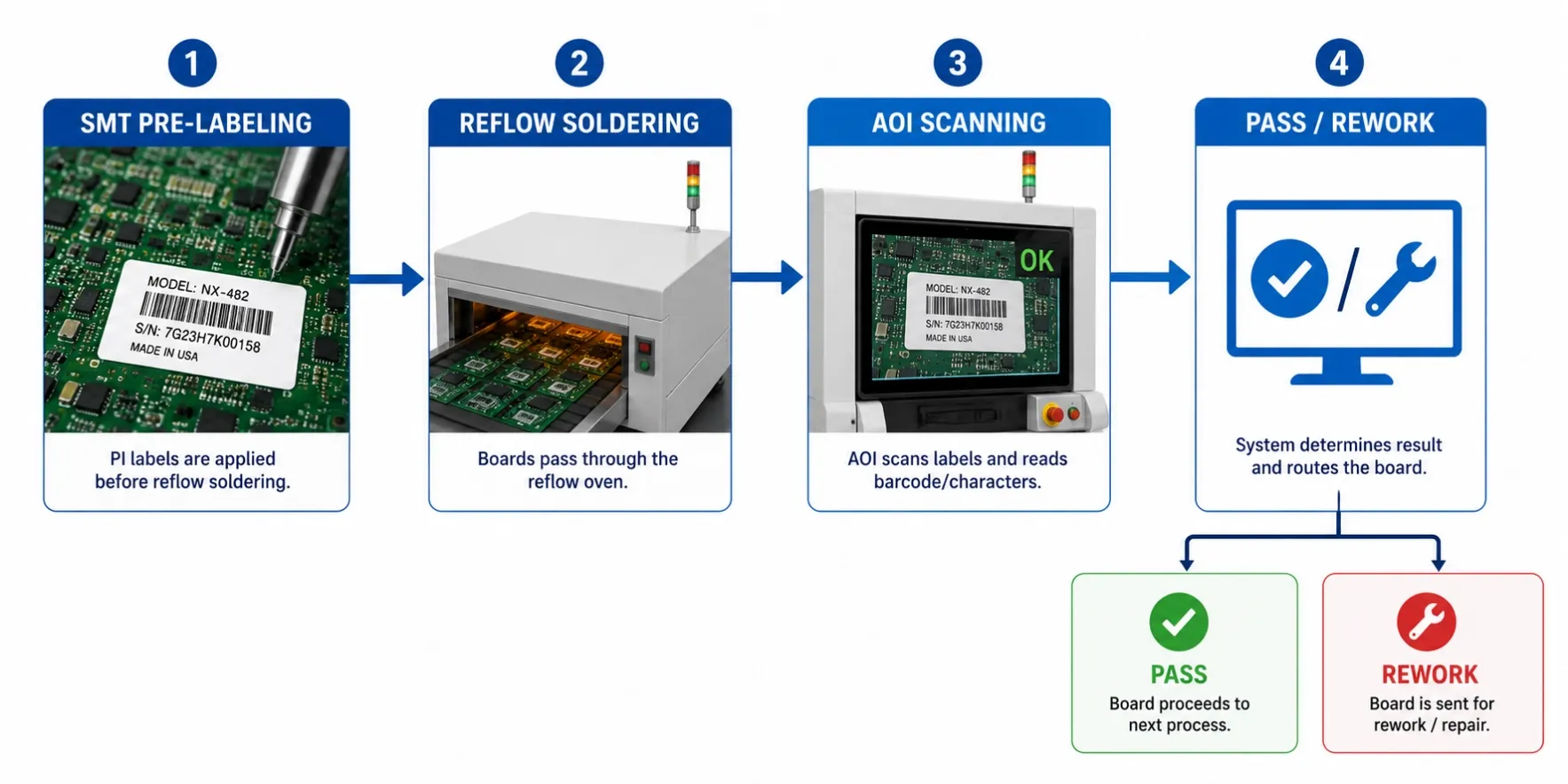
Step 3: Enable post‑reflow verification
After reflow, automated optical inspection (AOI) machines or handheld scanners read the barcode. The system verifies that the correct board is at the correct station.
Step 4: Prevent mix‑ups
If a board fails inspection, the label tells operators exactly which revision and which job it belongs to – no guessing. Rework instructions are pulled up automatically.
Step 5: End‑to‑end traceability
The same label follows the board through wave soldering, test, and final assembly. No relabeling needed.
Result: Rework caused by misidentification drops to near zero. Operators spend less time sorting boards and more time fixing actual defects.
4. Real‑World Impact – A PCB Factory Case Study 📊
A mid‑sized PCB assembler in Shenzhen was experiencing 12% rework rate on a high‑mix, high‑reliability product line. Root cause analysis showed that 40% of those reworks were due to label failures after reflow – operators had lost track of board versions and placed wrong components.
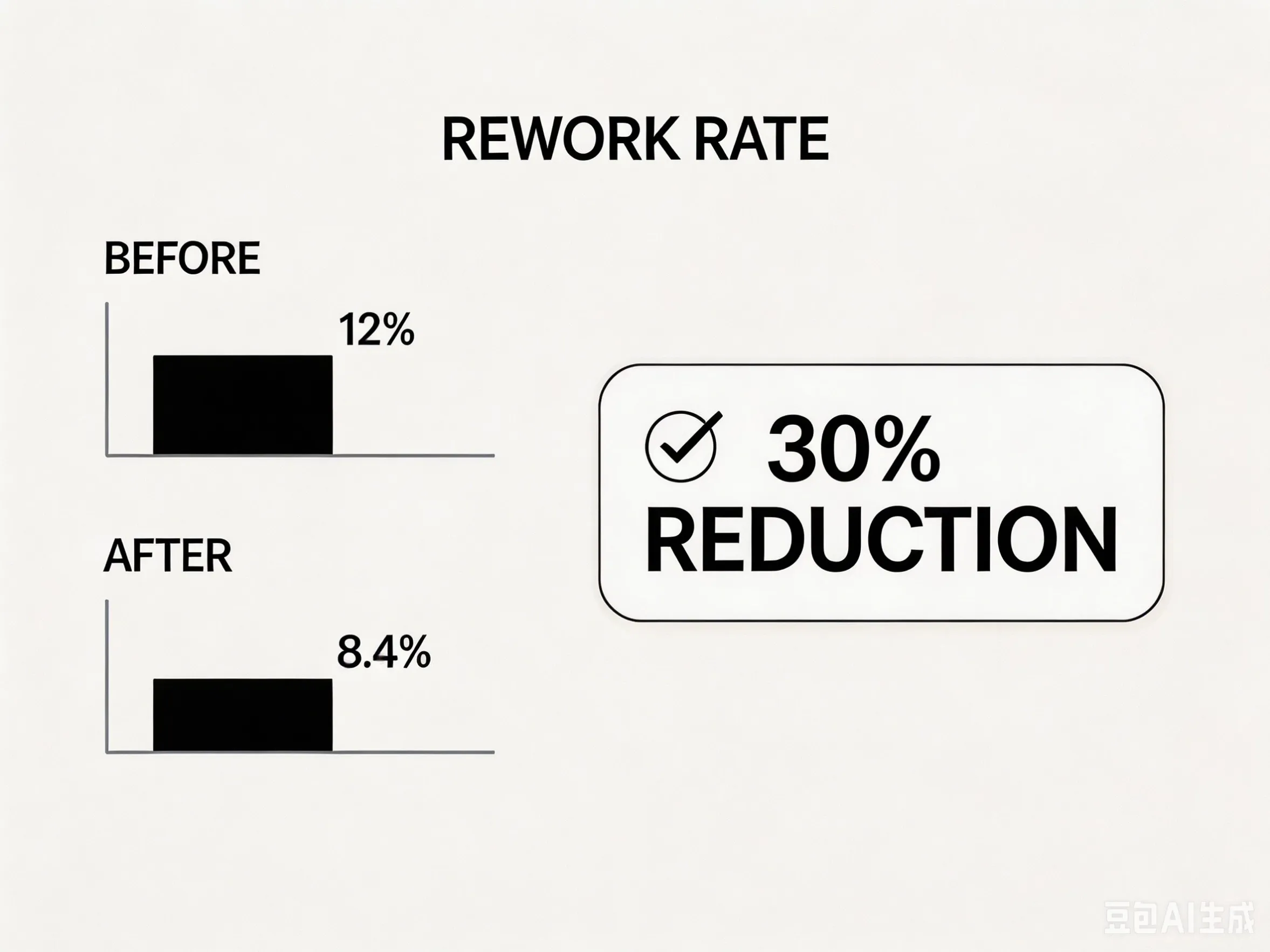
- ✅ Overall rework rate dropped from 12% to 8.4% (a 30% reduction).
- ✅ Label‑related rework (misidentification) fell by 85%.
- ✅ Scrap due to lost traceability was eliminated.
- ✅ AOI scan success rate increased from 82% to 99%.
The cost of PI labels was 15,000 per month.
5. Best Practices for Using PI Labels in PCB Assembly 🛠️
To achieve similar results, follow these guidelines:
✅ Use genuine PI labels with silicone adhesive
Cheap “high‑temp” labels may not survive full reflow profiles. Always request test data.
✅ Print with resin ribbon – never wax/resin
Resin ribbon cross‑links under heat, creating a permanent bond to the PI face stock. Wax/resin will wipe off.
✅ Set correct printer parameters
- Darkness: 28–35%
- Speed: 2–3 inches per second (ips)
✅ Apply labels to clean, dry PCBs
Contamination (flux, dust) reduces adhesion. Clean the area with IPA if needed.
✅ Test with your actual reflow profile
Run a small batch through your oven, then scan barcodes and perform a peel test.
For printer setup help, see our printer compatibility guide for PI labels.
6. Common Mistakes That Cause PI Label Failure ❌
Mistake | Consequence |
|---|---|
Using wax/resin ribbon | Print wipes off after reflow |
Applying labels after reflow | Adhesive not rated for post‑heat application |
Using general‑purpose acrylic adhesive | Adhesive bleeds or loses bond at 260°C |
Printing with low darkness | Barcode density too light to scan after heat |
Skipping sample testing | Full production batch fails – costly rework |
✅ Always run a validation batch before committing to large volumes.
7. Beyond Rework – Other Benefits of PI Labels 🌟
- Regulatory compliance – Meets RoHS, REACH, and UL requirements for component traceability.
- Multiple thermal cycles – Survives rework reflow (if a board needs to be re‑soldered).
- Chemical resistance – Withstands flux cleaners and IPA wiping after assembly.
- Ultra‑thin – 25–50µm thickness does not interfere with component placement or heatsinking.
For extreme chemical exposure after reflow, consider our chemical resistant label (for post‑assembly labeling).
8. Conclusion & Next Steps 🎯
- PI labels survive lead‑free reflow (260°C+) where other labels fail.
- They enable end‑to‑end traceability – preventing misidentification and reducing rework.
- A real PCB factory cut rework by 30% after switching to PI labels.
- Success requires correct material (PI), proper ribbon (resin), and validated printer settings.
Ready to test PI labels in your SMT line? We offer free samples of high‑temperature PI labels and matching resin ribbon. Send us your reflow profile and printer model – we’ll help you set up a validation test.